
Can’t you play Fortnite because of the EU-FA-0 Error? No problem, here is the guide to fix the issue.
Do you find our CONTENT USEFUL? Please HELP US continue our labour by donating today!
Fix EU-FA-0 Error
Wait for the Epic Games developers to fix the Fortnite Epic Games EU-FA-0 error themselves. Actually this is the best solution considering that the cause is not our computer but Epic Games luncher.
Keep an eye on the Fortnite status webpage.
Alternative fixes
Aside from waiting for the Epic Games team to fix the Fortnite Epic Games EU-FA-0 error themselves, you can try and get back into your games by following some troubleshooting steps.
Close Epic Games Completely
1. Log out of Epic Games Launcher and exit the app completely.
2. Check system tray(where your clock is) to confirm step 1 is done.

3. Open the launcher again and attemp to run Fortnite.
Verify Fortnite Installation
1. Log in to Epic Games and go to your library.
2. Click on the gear to show available tools.
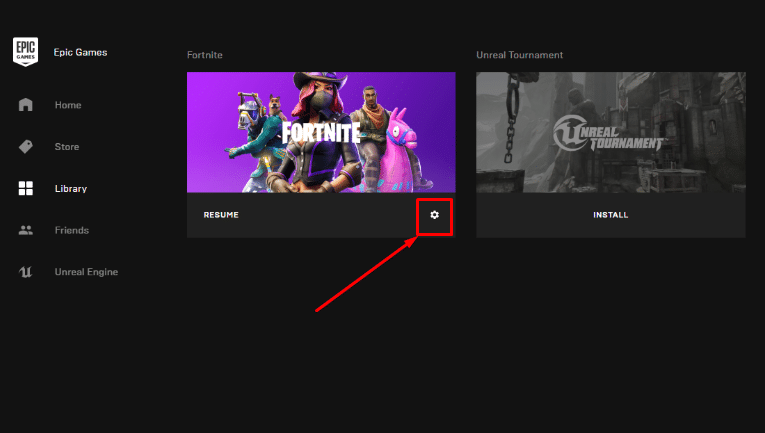
3. Run the option “Verify“.
